
8090 slot com — Mobile App Download Platform for Android and iOS
The 8090 slot com app, designed specifically for Myanmar players, is available on both Android and iOS. Once installed on your phone, you can enjoy slot games, live casino, and sports betting anywhere.
8090 slot com — Mobile App Download Platform for Android and iOS
Installing the 8090 slot com app delivers a better overall gaming experience.
Once the app is downloaded, game assets load from the local cache, making loading times faster than a browser. The difference is especially noticeable on slower network connections.
You will receive instant notifications through the app for new promotions, bonus activations, and completed withdrawals — without needing to have a browser open.
The app supports biometric login (fingerprint / Face ID). Double authentication via OTP is also available, providing stronger protection against phishing.
The 8090 slot com app interface is specially optimized for the screen sizes and touch gestures of Myanmar phones, making navigation smooth and seamless.
Android phones can install APK files directly without going through the Google Play Store, so you can download the 8090 slot com APK and install it yourself.
Go to Settings → Security (or Privacy) → find "Install unknown apps" and grant permission for your browser or file manager. On Android 8 and above, you will be prompted for permission after the download completes, so you do not need to enable it in advance.
Click the Android APK download link on the official 8090 slot com website. Check the file size to confirm it matches before proceeding.
Open your Downloads folder and tap the downloaded APK file. When the install prompt appears, confirm by tapping "Install".
Once installation is complete, the 8090 slot com icon will appear on your Home screen. Tap it, log in with your username and password, and start playing right away.
Only download the APK from the official website. Files downloaded from third-party app stores may contain malware and could compromise your account.
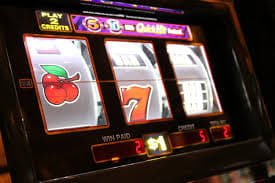
8090 slot com Android App — playing on mobile phone
Due to App Store restrictions on iOS, some gaming apps require direct installation. 8090 slot com supports iOS users via the "Add to Home Screen" method through Safari or the TestFlight method.
Open Safari on your iPhone or iPad and enter the official URL for 8090 slot com. This method does not work in Chrome.
Tap the Share icon (the box with an upward arrow) in Safari's toolbar. When the menu appears, look for "Add to Home Screen".
Name it "8090 slot com" and tap "Add". The app icon will appear on your Home screen immediately and open in full-screen mode just like a native app.
Opening from the Home screen icon launches the site in full-screen mode without a browser bar. Log into your account and play your favorite games.
IOS 13 or later is required. iOS 16 and above offers full PWA support with complete push notification functionality. If your device has not been updated, go to Settings → General → Software Update to do so.
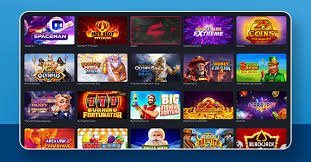
8090 slot com iOS — playing on iPhone and iPad
Your device must meet the minimum specifications listed below to run the 8090 slot com app smoothly.
| Specification | Android | iOS |
|---|---|---|
| OS Version | Android 6.0 (Marshmallow) and above | IOS 13.0 and above |
| RAM | 2 GB minimum (4 GB recommended) | 2 GB (iPhone 8 minimum) |
| Storage | At least 200 MB free storage space | At least 150 MB free storage space |
| Internet | 3G / 4G / 5G / WiFi | 3G / 4G / 5G / WiFi |
| Processor | Quad-core 1.4 GHz minimum | Apple A9 chip or above |
| Screen | 5" and above (Full HD recommended) | 4.7" and above |
| Live Casino | Available | Available |
| Push Notifications | Available | Available on iOS 16+ |

8090 slot com App — Slot Games, Live Casino & Sports
Once you are logged into the 8090 slot com app, you can access all platform services from one place. The app supports multitasking — check sports match results while playing slot games, switch to a live casino table, or check your wallet balance without leaving the app.
Even while traveling from Yangon to Mandalay with only a 4G connection, you can join a live baccarat table. The app's data compression technology ensures stream quality remains stable even on slower 3G networks.
8090 slot com regularly updates the platform, including security patches, new games, and performance improvements. Keeping the app on the latest version ensures the best possible gaming experience.
When an "Update Available" notification appears in the app, tap it to download the latest APK and install it over the existing app. Your data will not be lost.
Because the PWA updates server-side, clearing the Safari cache and reopening it automatically loads the latest version. No reinstallation is required.
Common issues encountered during download and how to resolve them
When you download the 8090 slot com app, device information, OS version, and connection data are collected solely to improve app performance. This information is never shared with third parties.
By downloading the app, access the full range of platform Privacy Policy and Terms and Conditions is considered accepted.
For any issue encountered during the download, 8090 slot com's 24/7 customer support team is available to assist in Myanmar language. You can reach us via Telegram or live chat.